The treadmill desk experiment
In recent years, I've been sitting at my desk for over 12 hours a day (and night). That's a lot of time that I am NOT active - a big change from my daily gym routine from earlier. So when I came across a lot of...
Published on Updated on 4 min read
In recent years, I’ve been sitting at my desk for over 12 hours a day (and night). That’s a lot of time that I am NOT active - a big change from my daily gym routine from earlier. So when I came across a lot of internet buzz on standing desks and saw senator Janel Moloney (from Alpha House Amazon TV) rock a walking desk in her heels, I thought it’d be worth experimenting with one myself.
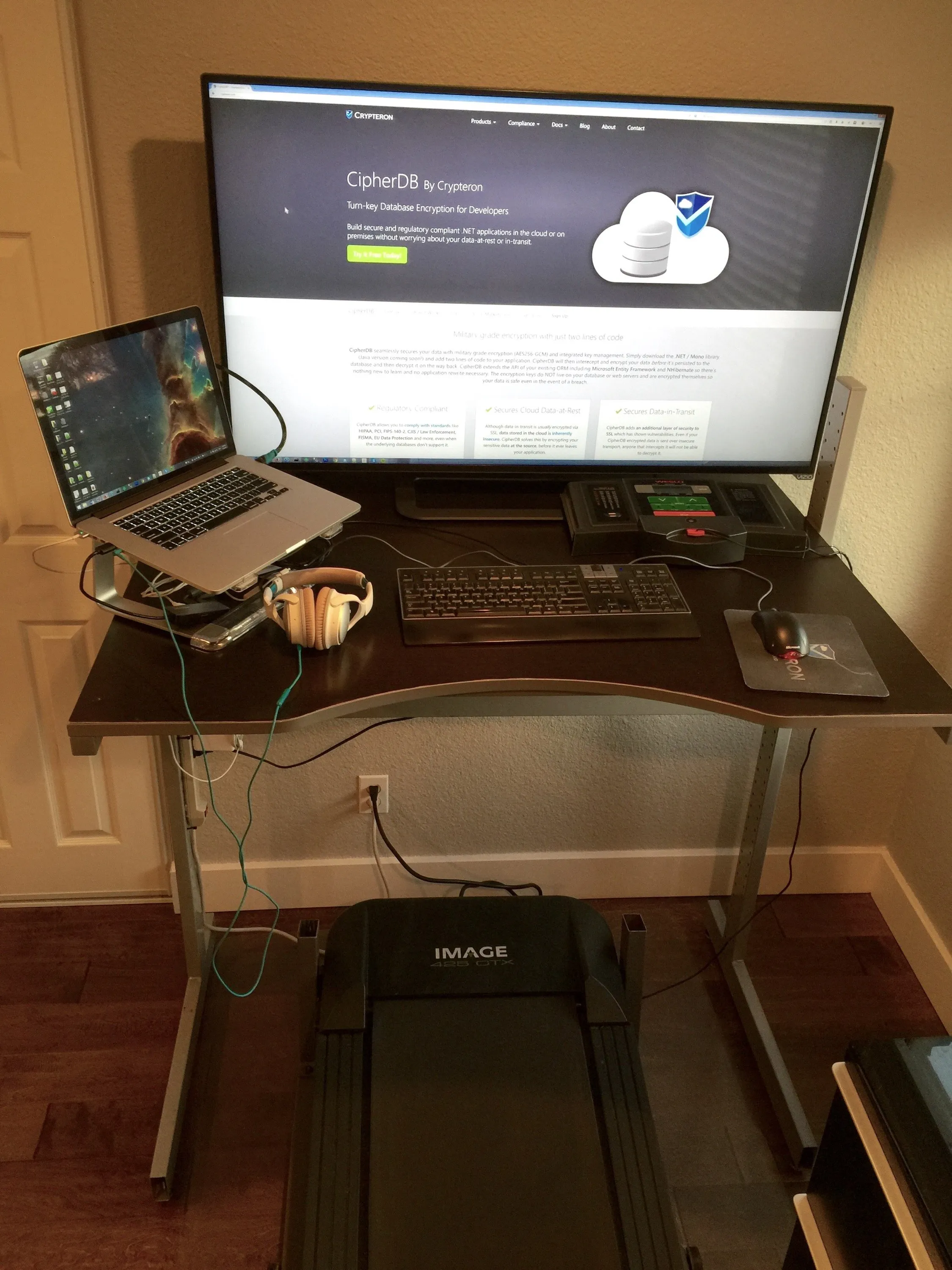
Basically, time for a real work hack involving fitness, electronics and design - awesome!! As a teaser, our final result is going to be a walking/running desk with a 50” 4K display running off a top of the line MacBook Pro Retina with Bose Noise cancellation headphones for audio. This setup works great for audio-video conferences as well as working with Spotify/Pandora in the background.
I’ll post the fitness experience in a separate post, and cover only the construction of the treadmill desk in this post. If I find that this experiment “works” for me, I can look into future improvements if/when I have more free (ahem) time.
So, what do we need to begin?
- Standing desk: this got off Craigslist for $65. An IKEA Jerker Desk (yeah, weird name)
- Treadmill: Bought off Craigslist for $100.
- Circular saw ($100-$200, already had one) + steel cutting blade ($10-$30 from HomeDepot)
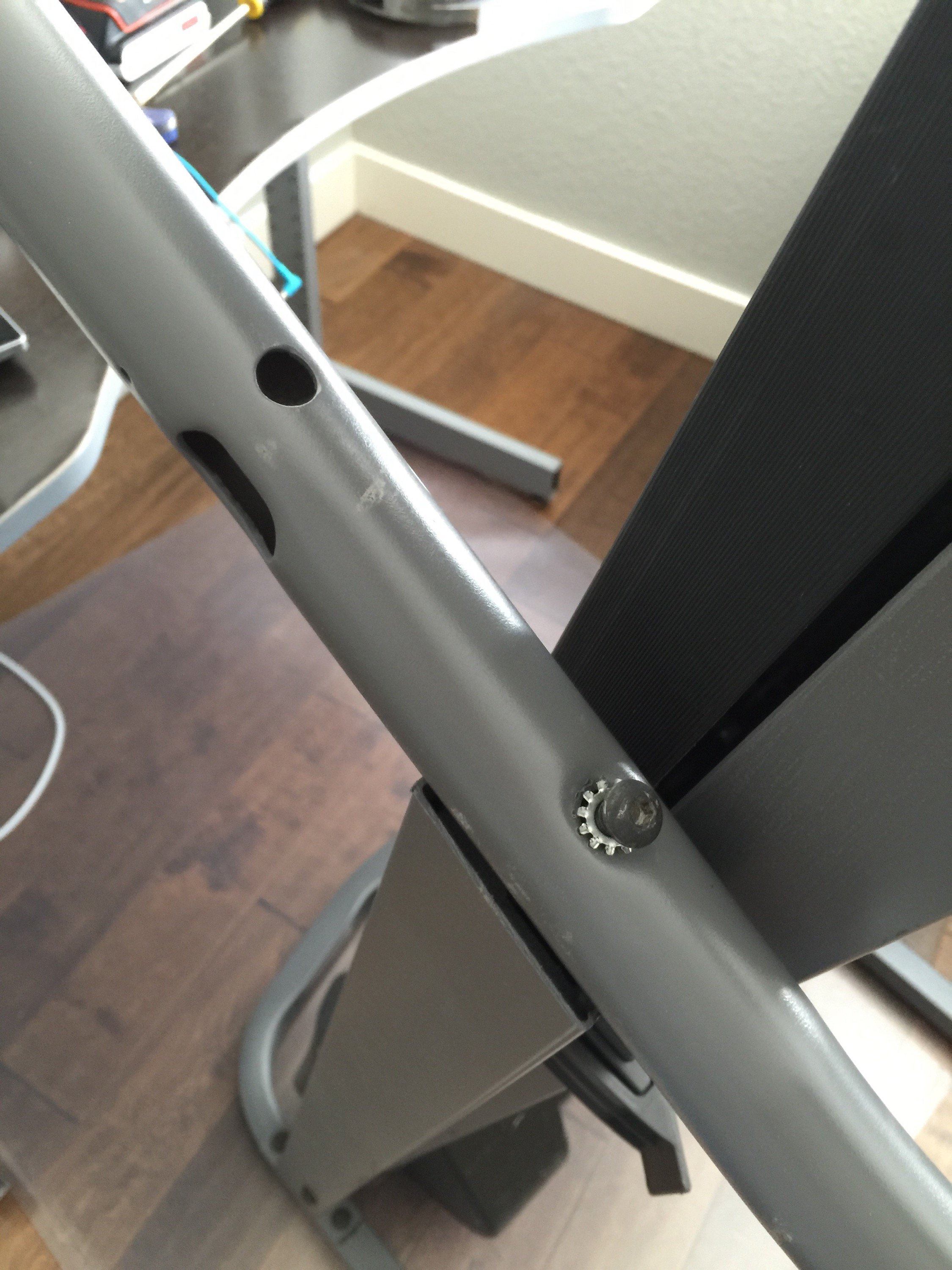
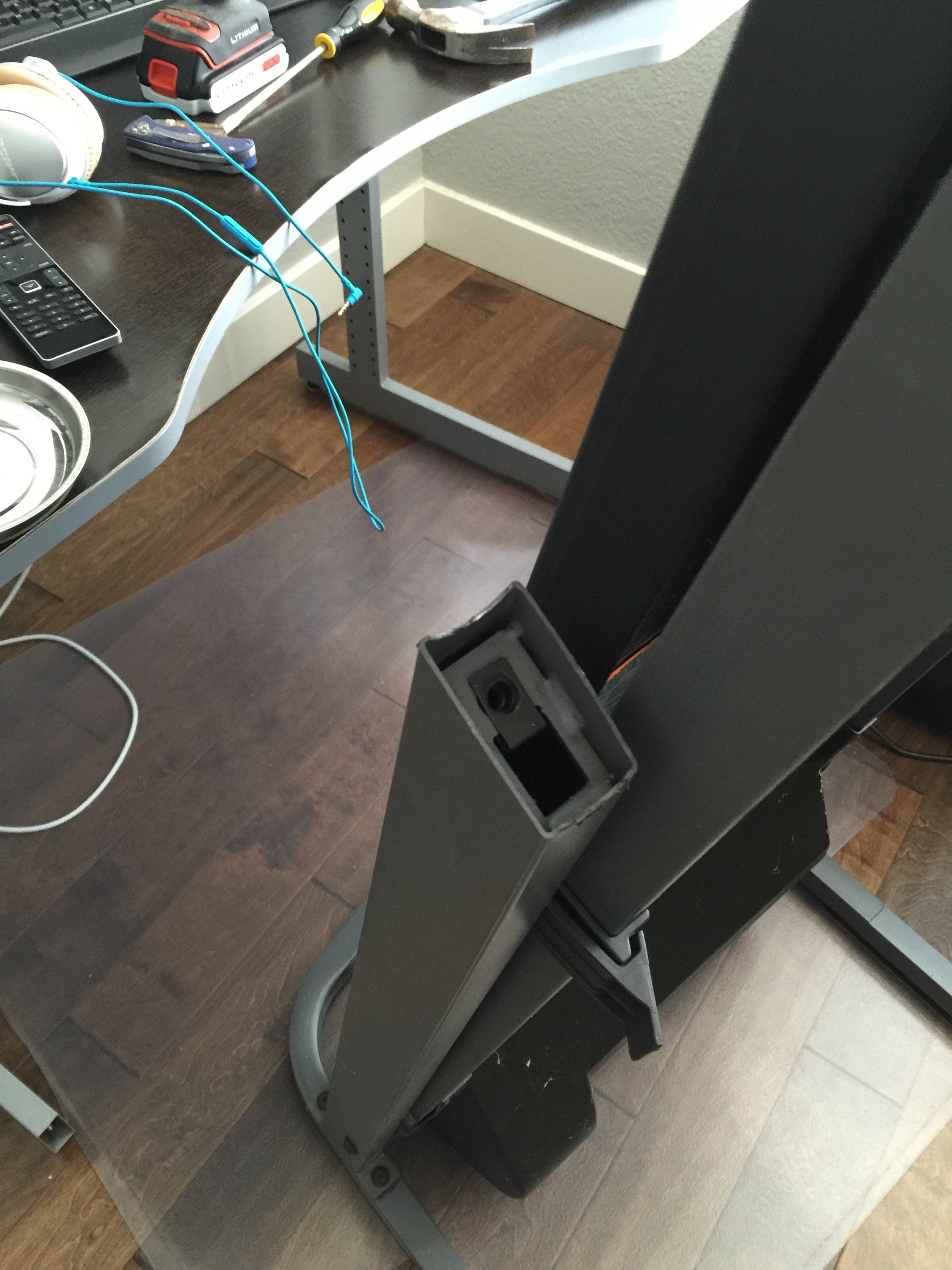
The first and biggest issue, the issue is that you can’t just slide the treadmill under the standing desk - a treadmill usually has its console, control panel exactly where the standing desk’s surface would be (higher actually). See the picture below - with the control panel moved, you can see the metal framing rises quite high compared to the standing desk in the background.
But you still need a working console / control panel to operate the treadmill. So … time to hack the atoms!
First, remove the screws underneath that hold the plastic control panel onto the tube frame and lift the plastic panel off (careful of the control wires). The picture above is after I performed this step. Next, I found a screw holding the arm rests to the vertical pillar (see above). That has to go, so took it out and removed the side-arm support steel tubes. The results are seen in the next photo. Do the same on the other side too. In case you’re wondering about the black and grey portion going through the top right corner of the photo - that’s the treadmill belt and deck temporarily folded up.
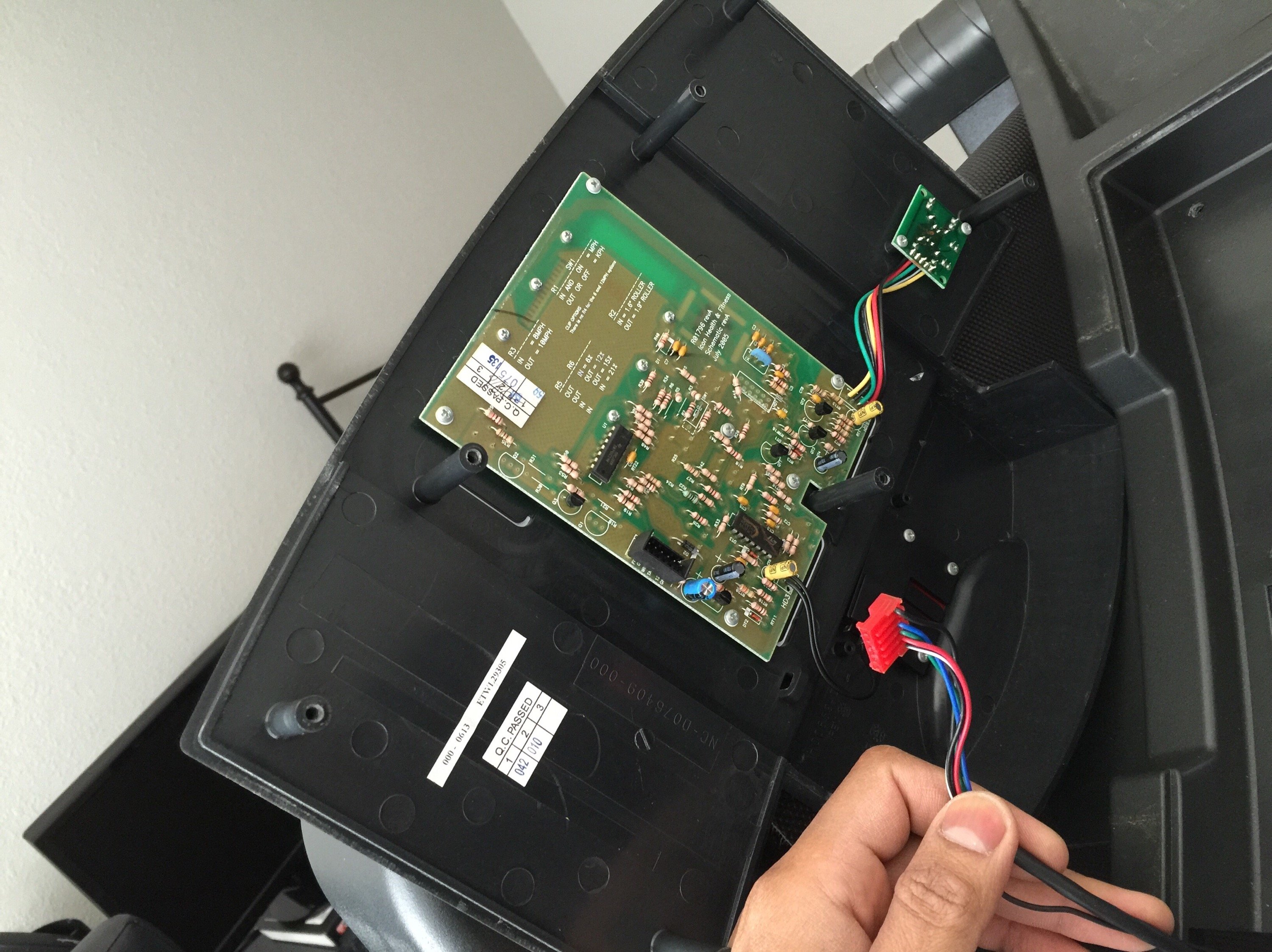
Next, I removed the screws on the base of the console and opened it up to find the electronics.
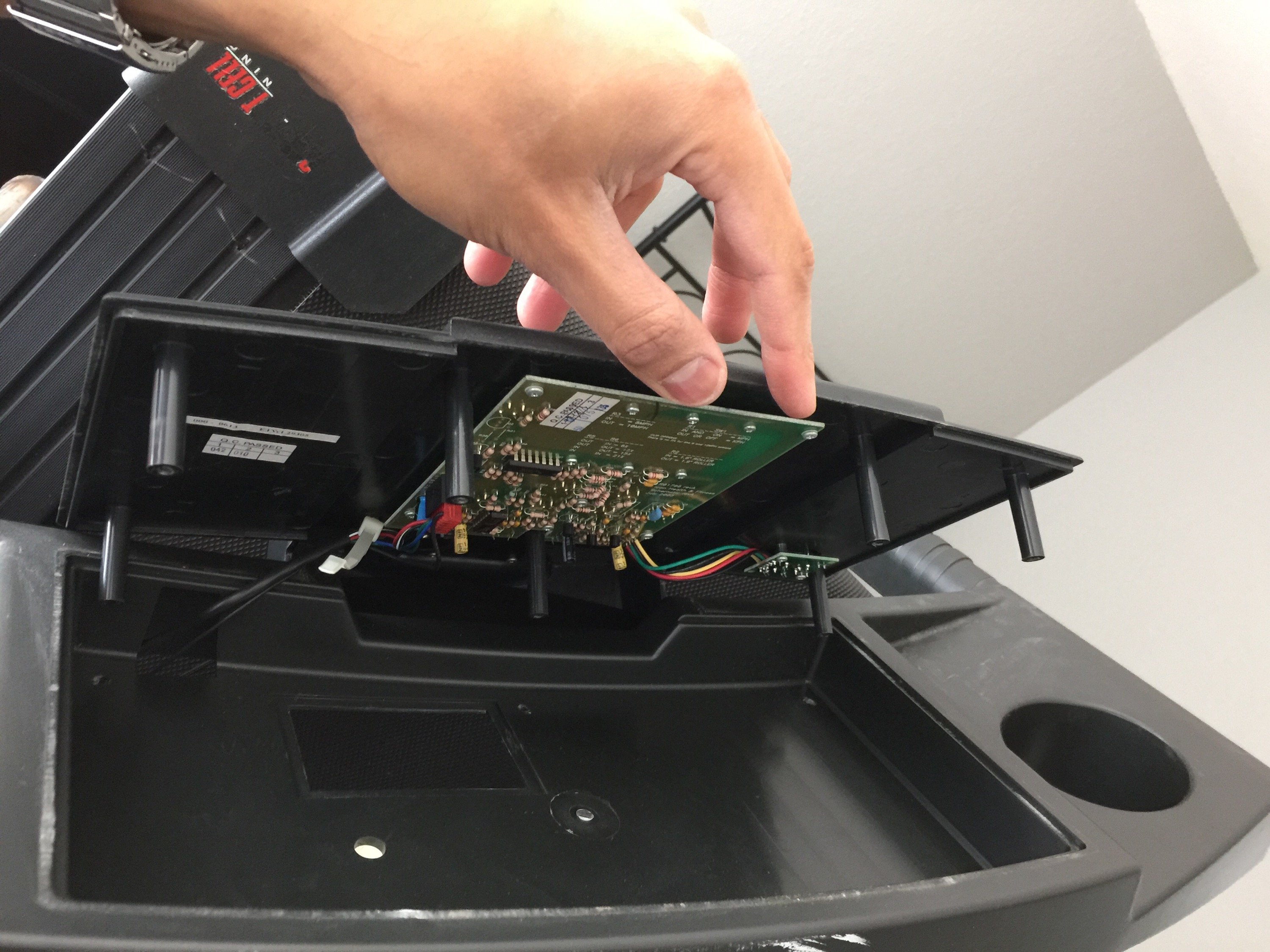
Unplug the wiring harness and set it aside the console.
Now if you see below you can see that even without the horizontal arm support pipes, the vertical pillars are still getting in the way of the desk surface. Gotta fix that next. Maybe if we turn them away, it helps? Hmm, lets try! Before, pointing towards the desk and taking up valuable space…
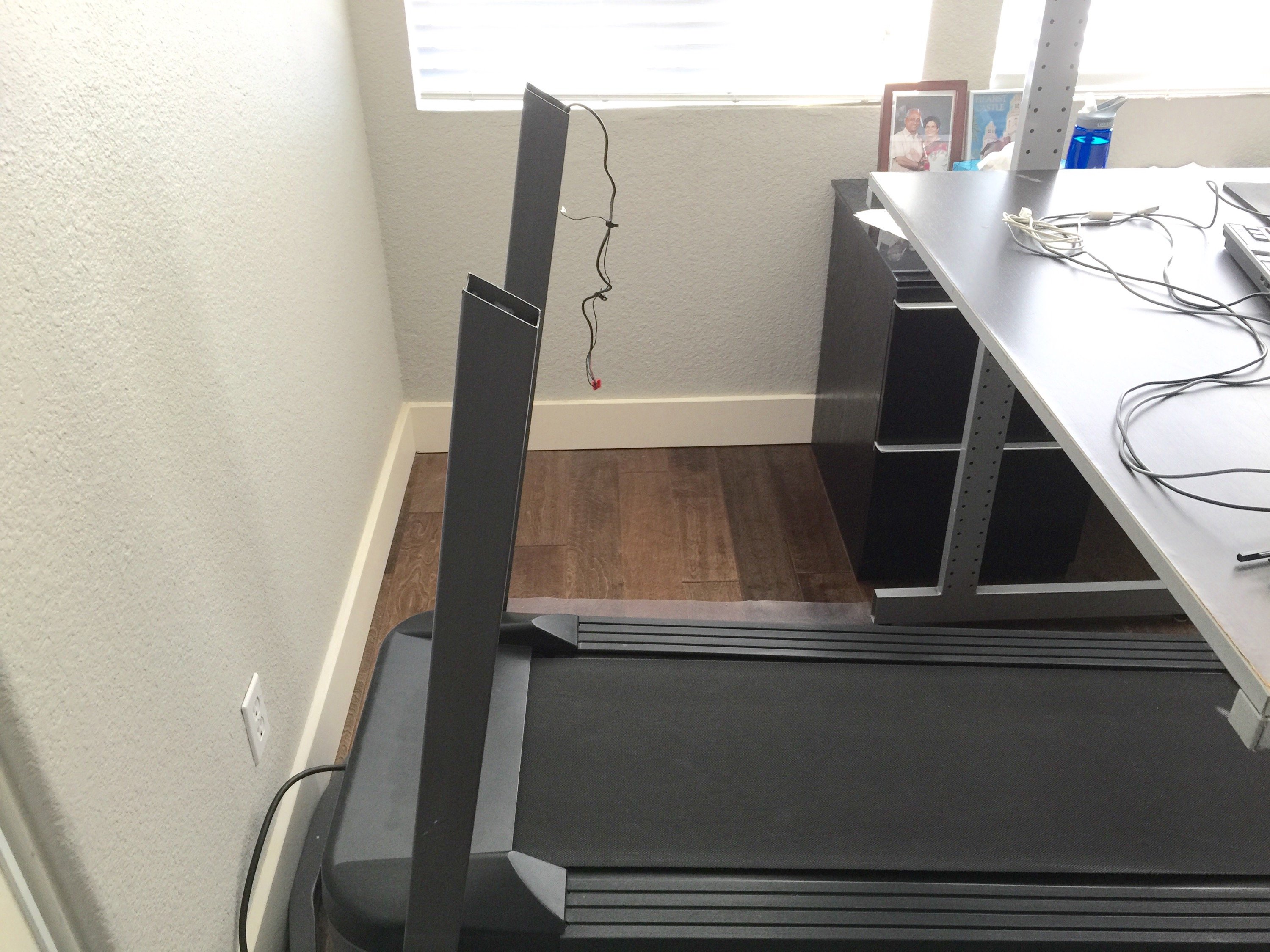
Take off the screws holding it …
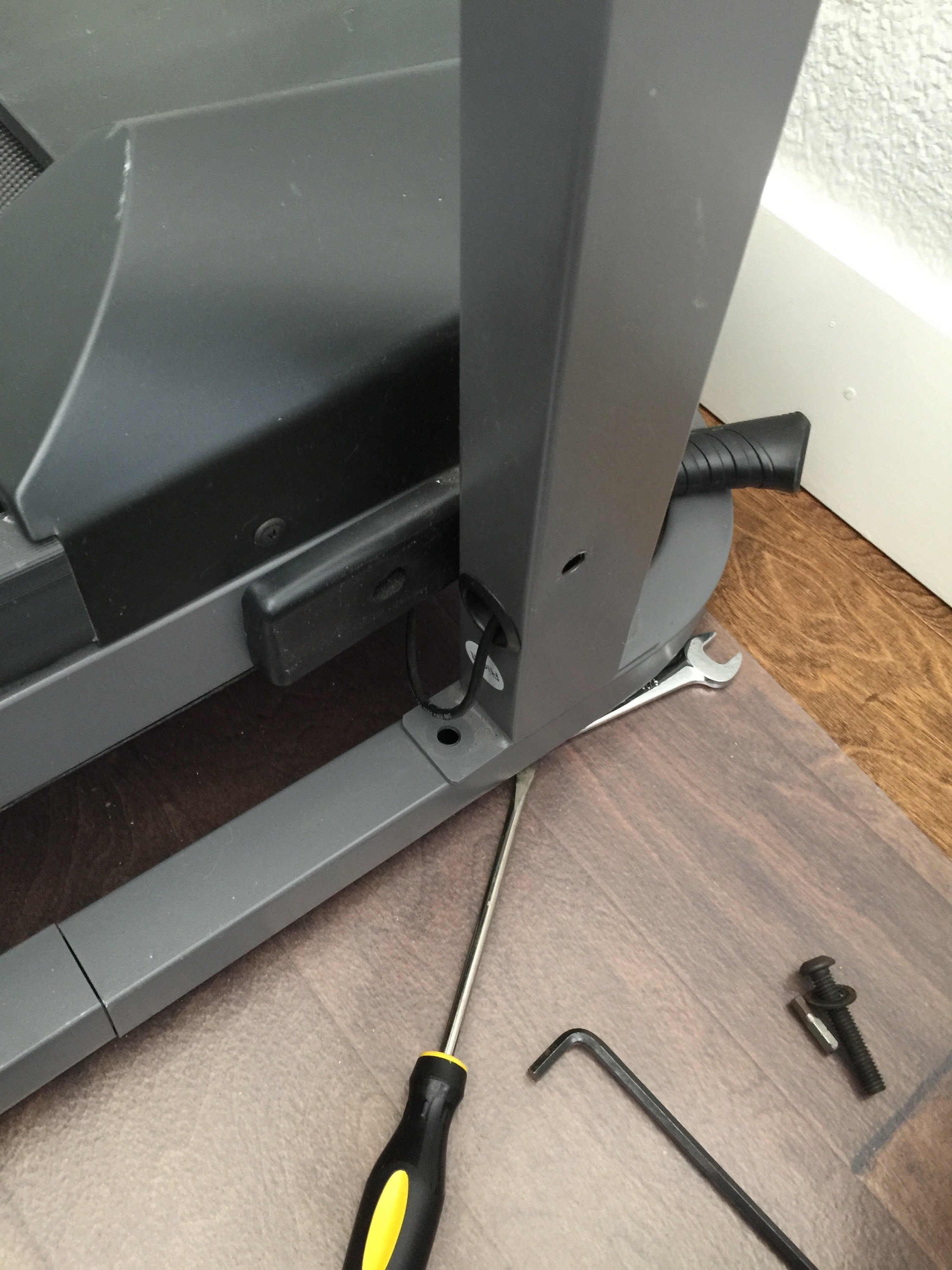
Turn it around and put the screws back …
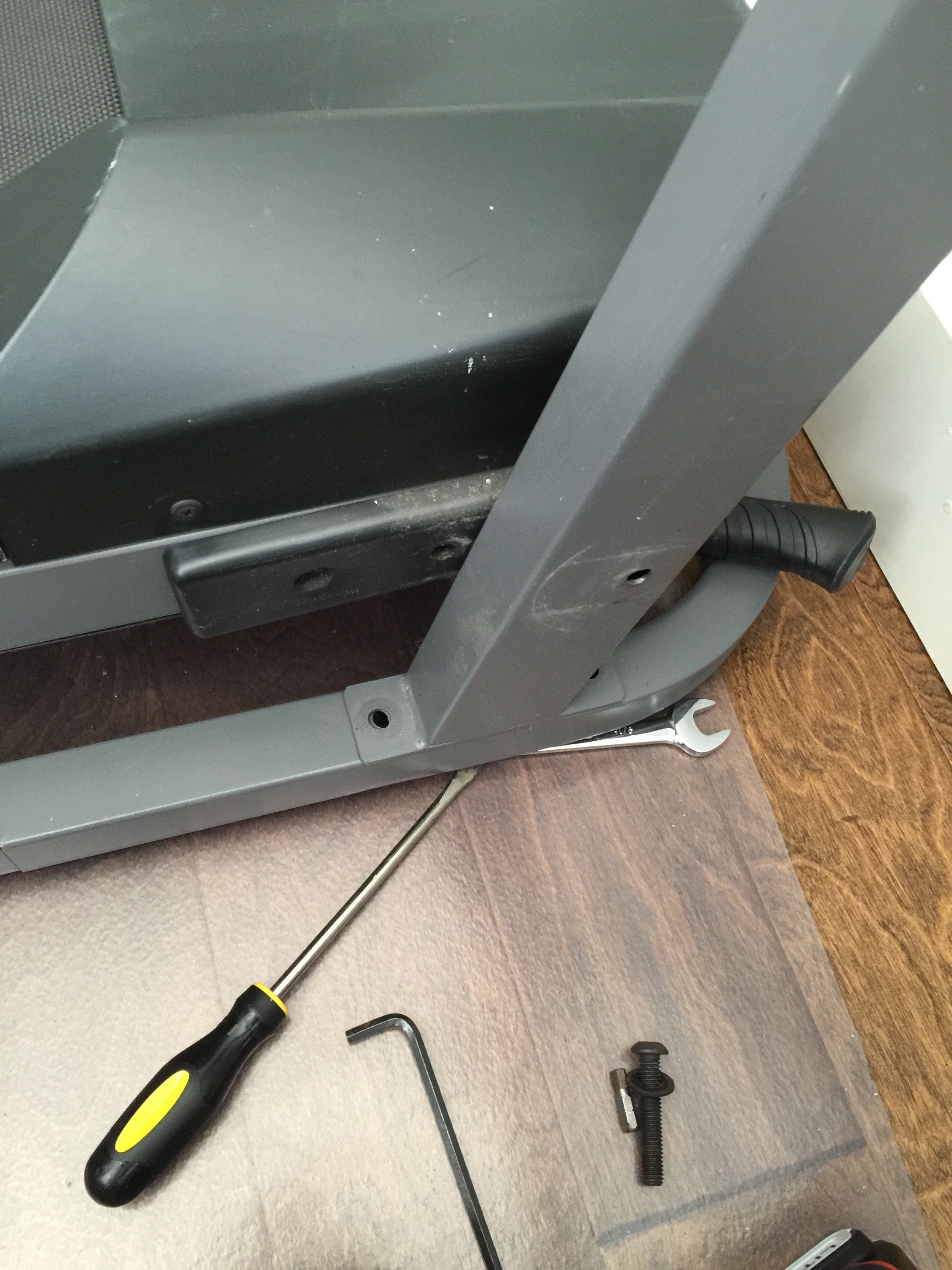
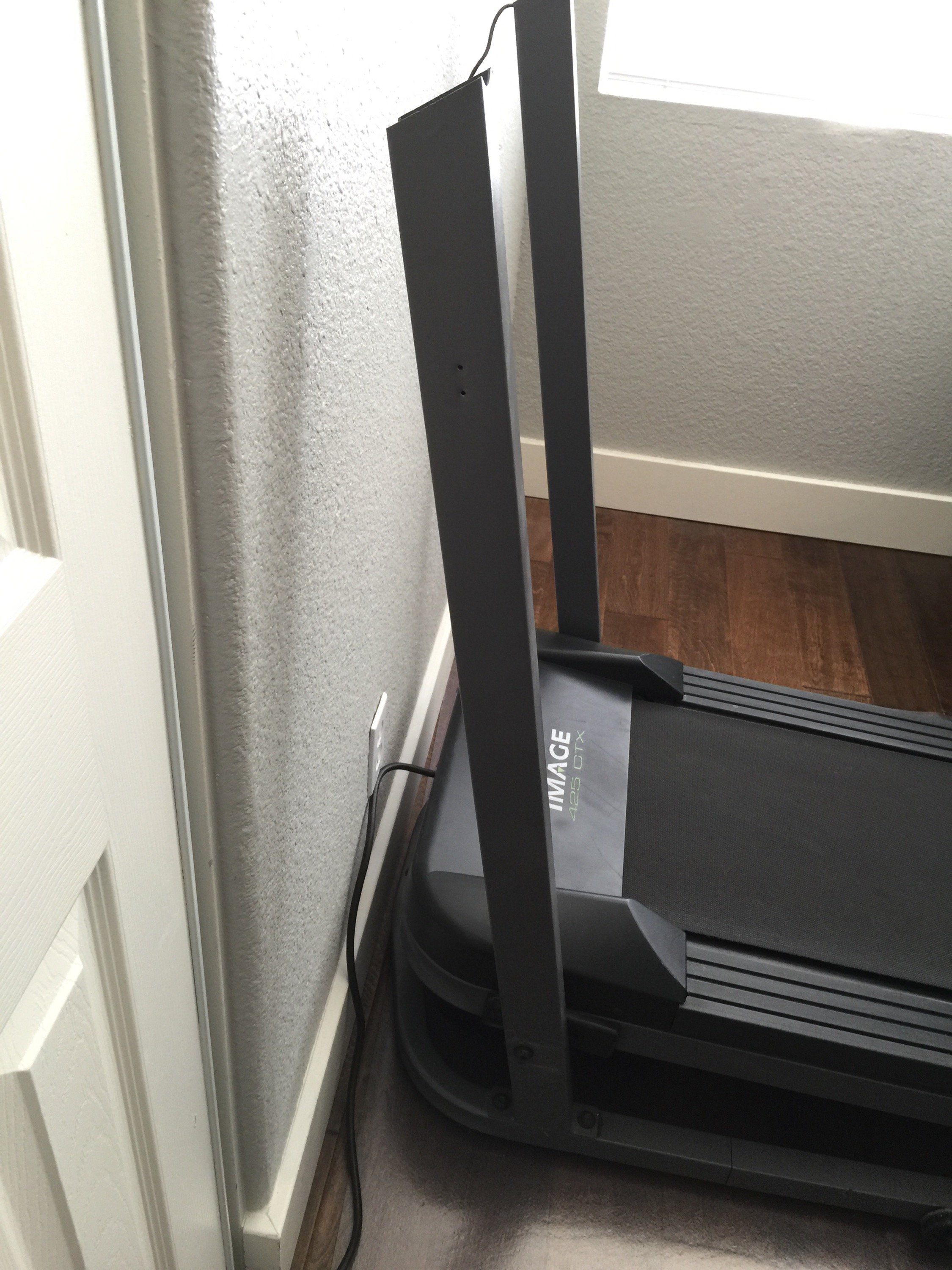
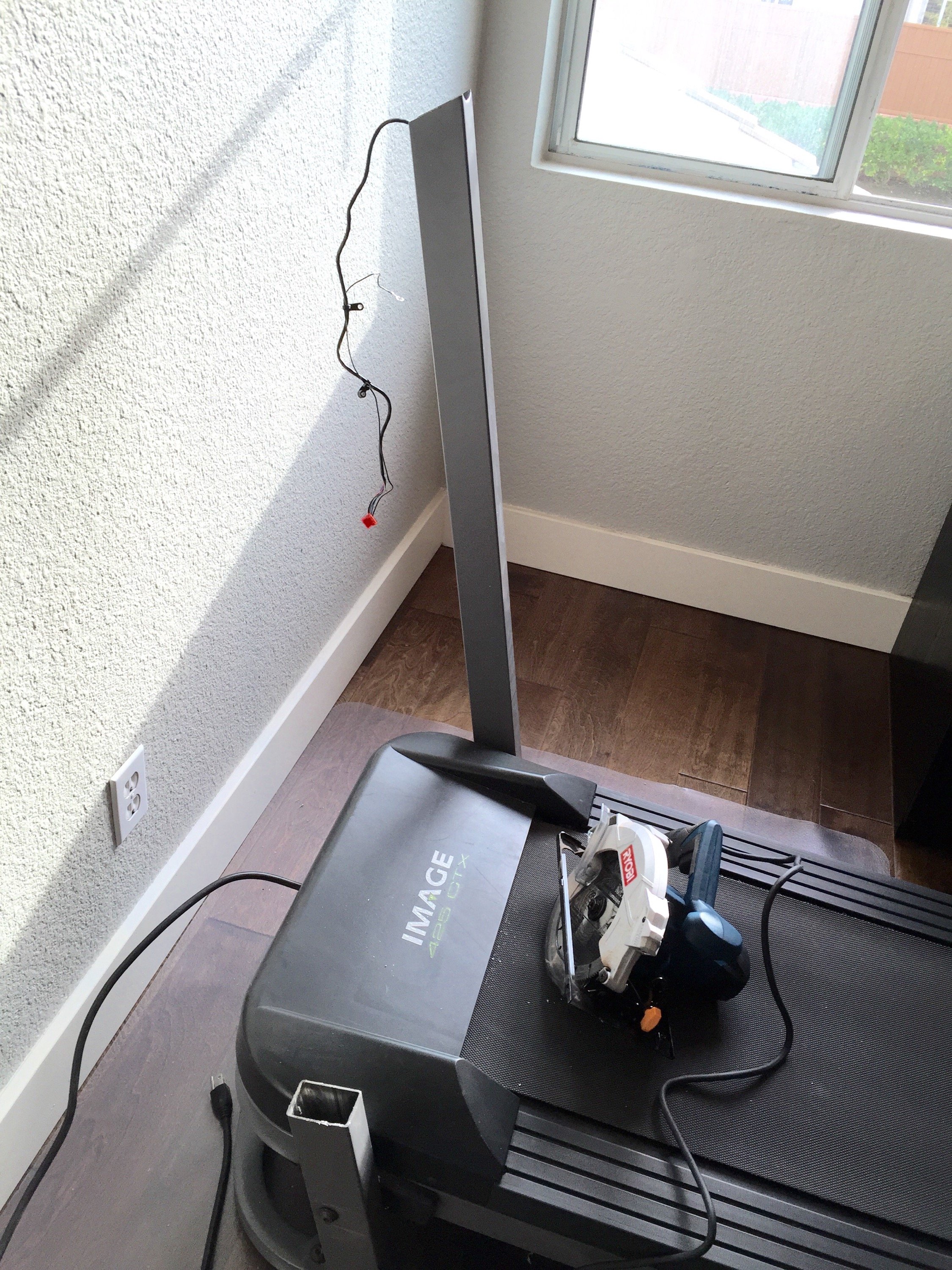
Still takes up space, so time to cut it. Pull out the wires in the right column. Marked the cutoff point on both vertical pipes. Here it is after cutting the left pipe. A lot of sparks few and the blade went yellow and red with the heat (so be careful to keep all inflammables away!)
Next I reconnected the wires into the treadmill console circuit board and put the crews back into the console itself. I also trimmed the sides of the plastic console since it had molds for a cupholder, key holder etc - taking up much space. Before using it, I did a final check on the belt tension and lubricated the belt & deck. Like with any mechanical setup, periodic lubrication helps avoid motor burnouts, so keep that in mind.
Here is the final outcome, with both vertical post cut (and edges filed) and it neatly seated under the standing desk. That’s a 50” 4k display and you can see the treadmill console at the lower right side of the display. With my headphones, keyboard, mouse and laptop setup, this is awesome!! And yeah, I also zip tied a surge protector on the standing desk’s vertical pillar, so … “everything is awesome!”
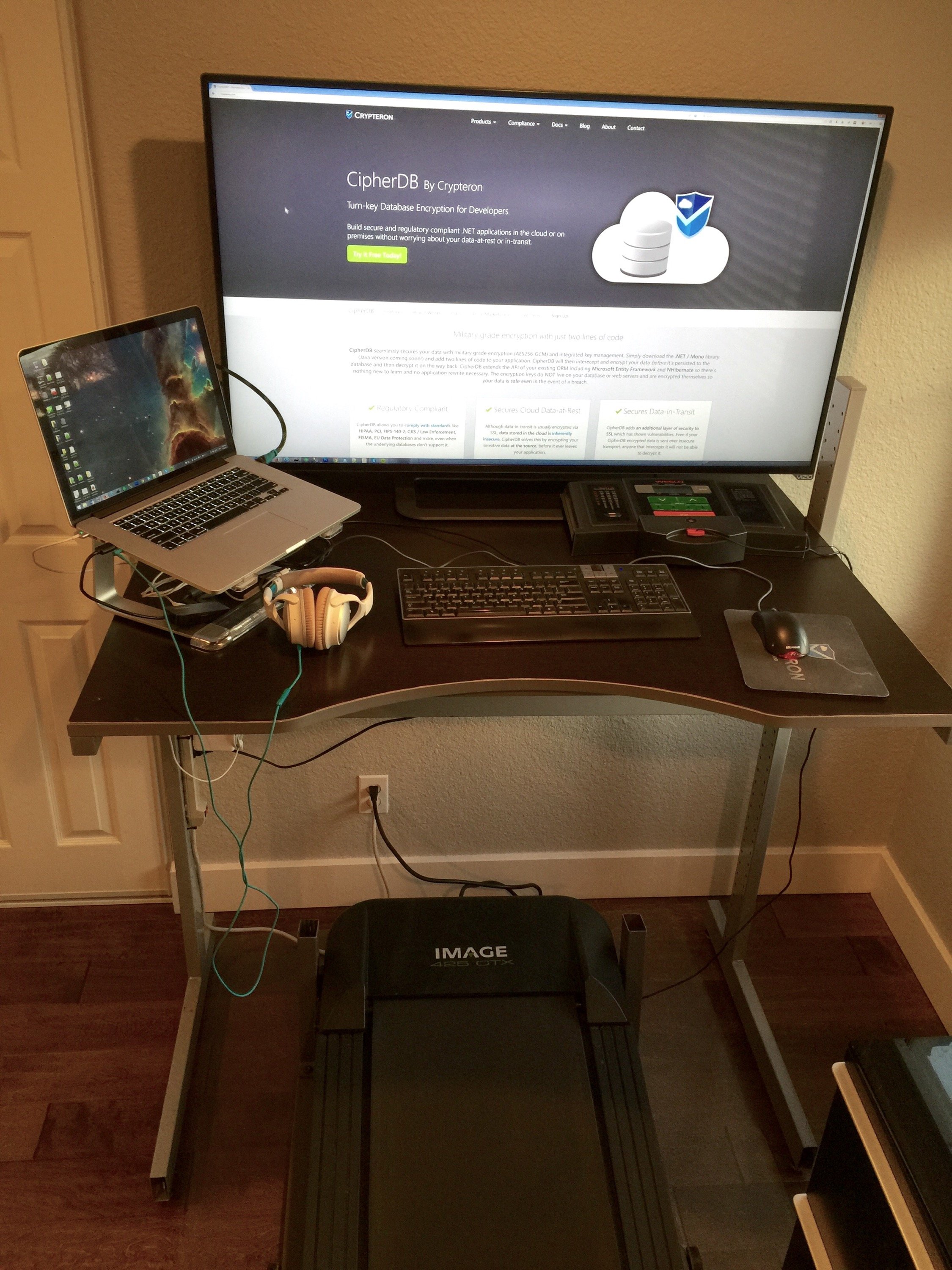
Here is another shot, from the side
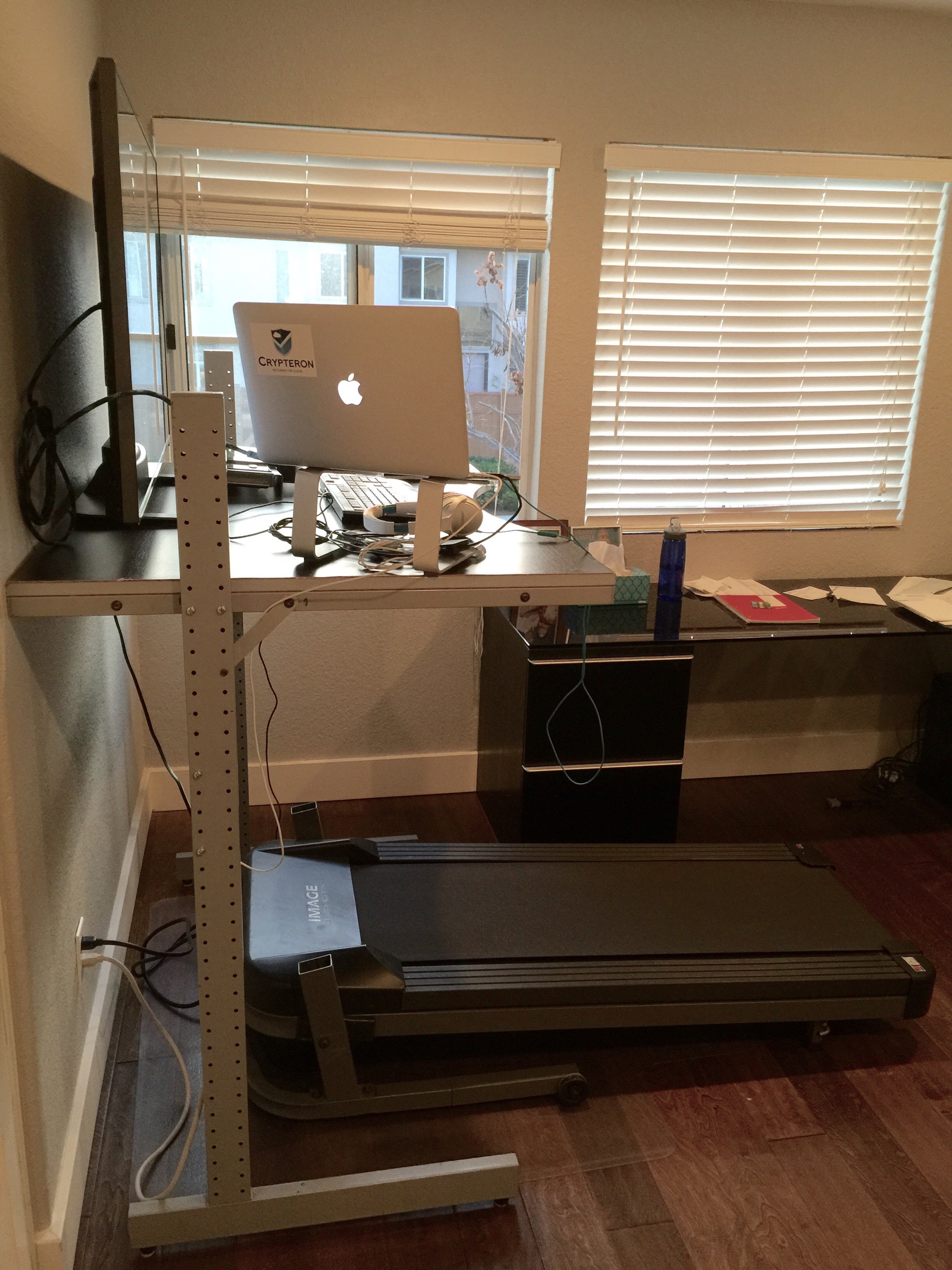
So how did it go? Well I can walk at 3 MPH while still typing an email. So long email, say 10 mins are about 1/2 mile a piece! Precision movements with the mouse are harder and jogging faster than 4mph while typing makes it look like someone threw my keyboard in a wrestling match. So while I can stand 8 hours and work, I still have to track my long term usage on this to figure out the stand, jog and run ratios.
Enjoy!
Comments (1)
Archived from the original WordPress site. New comments are closed.
FREE Treadmill from standing desk + treadmill combo - Anti-random […] early 2015 I built an awesome standing desk + treadmill combo (details). I got good use out of it but this won’t work at our new office space - so I’m […]